
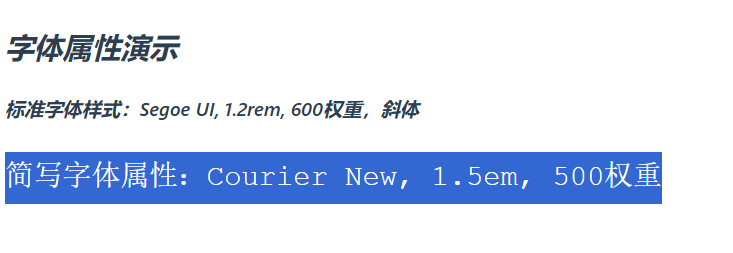
一、字体属性
1.1 字体大小
p { font-size: 16px; }
1.2 字体粗细
h1 { font-weight: bold; }      /* 或 700 */
p  { font-weight: 400; }
1.3 字体类型
body {
  font-family: "Microsoft YaHei", Arial, sans-serif;
}
1.4 示例说明
1、创建一个名为css-study的文件夹并使用VSCode打开,再创建一个名为8-1.CSS常用属性-字体属性.html
<!DOCTYPE html>
<html>
<head>
    <title>字体属性演示</title>
    <style>
        .font-demo {
            font-family: 'Segoe UI', Tahoma, sans-serif; /* 字体栈 */
            font-size: 1.2rem;        /* 相对单位 */
            font-weight: 600;         /* 字重 */
            font-style: italic;       /* 斜体 */
            line-height: 1.6;         /* 行高 */
            color: #2c3e50;
        }
        .custom-font {
            font: 500 1.5em/1.8 'Courier New', monospace; /* 简写属性 */
        }
    </style>
</head>
<body>
    <div class="font-demo">
        <h2>字体属性演示</h2>
        <p>标准字体样式:Segoe UI, 1.2rem, 600权重,斜体</p>
        <p class="custom-font">简写字体属性:Courier New, 1.5em, 500权重</p>
    </div>
</body>
</html>
2、双击【8-1.CSS常用属性-字体属性.html】
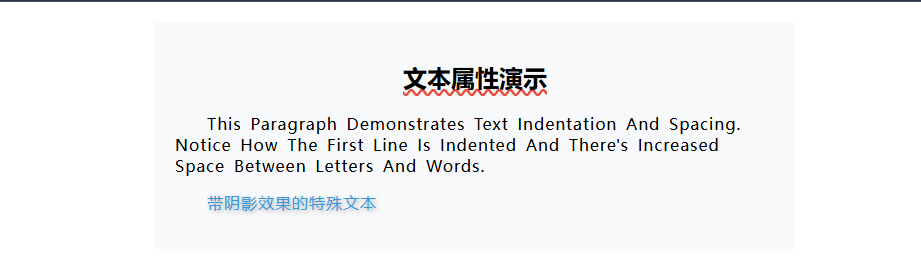
二、文本属性
2.1 文字对齐
p { text-align: center; }
2.2 行高(非常重要)
p { line-height: 1.8; }
行高常见写法:
line-height: 24px;line-height: 1.5;(推荐:相对字体大小)
2.3 文本装饰(下划线等)
a { text-decoration: none; }
2.4 文本缩进
p { text-indent: 2em; }
2.5 示例说明
1、创建一个名为css-study的文件夹并使用VSCode打开,再创建一个名为8-2.CSS常用属性-文本属性.html
<!DOCTYPE html>
<html>
<head>
    <title>文本属性演示</title>
    <style>
        .text-demo {
            width: 600px;
            margin: 20px auto;
            padding: 20px;
            background: #f8f9fa;
        }
        h2 {
            text-align: center;       /* 居中对齐 */
            text-decoration: underline wavy #e74c3c; /* 波浪下划线 */
        }
        p {
            text-indent: 2em;        /* 首行缩进 */
            letter-spacing: 1px;     /* 字间距 */
            word-spacing: 3px;       /* 词间距 */
            text-transform: capitalize; /* 首字母大写 */
        }
        .shadow-text {
            text-shadow: 2px 2px 4px rgba(0,0,0,0.3); /* 文字阴影 */
            color: #3498db;
        }
    </style>
</head>
<body>
    <div class="text-demo">
        <h2>文本属性演示</h2>
        <p>This paragraph demonstrates text indentation and spacing. notice how the first line is indented and there's increased space between letters and words.</p>
        <p class="shadow-text">带阴影效果的特殊文本</p>
    </div>
</body>
</html>
2、双击【8-2.CSS常用属性-文本属性.html】
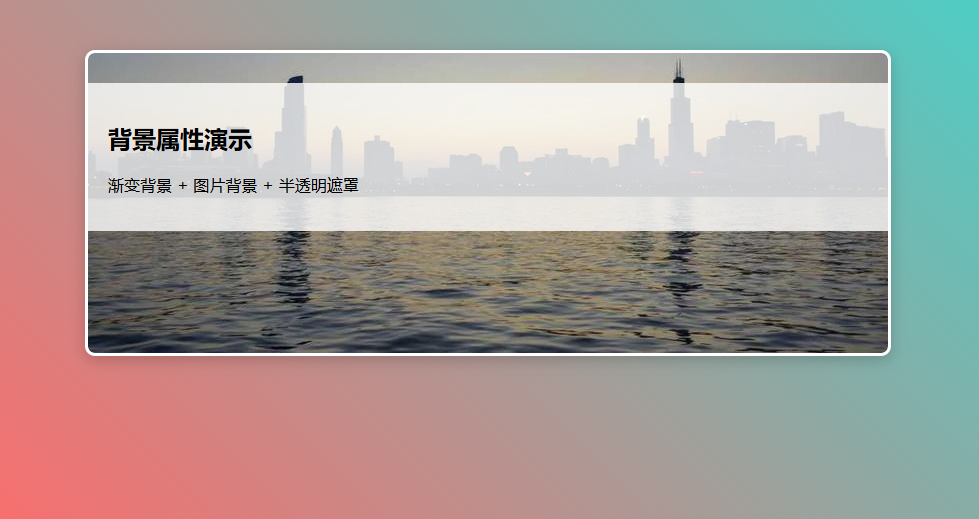
三、背景属性
最常用几项:
.box {
  background-color: #eee;
  background-image: url("a.png");
  background-repeat: no-repeat;
  background-size: cover;
  background-position: center;
}
也可以简写(了解即可):
.box {
  background: #eee url("a.png") no-repeat center / cover;
}
示例说明:
1、创建一个名为css-study的文件夹并使用VSCode打开,再创建一个名为8-3.CSS常用属性-文本属性.html
<!DOCTYPE html>
<html>
<head>
    <title>背景属性演示</title>
    <style>
        body {
            background: linear-gradient(45deg, #ff6b6b, #4ecdc4) fixed;
        }
        .banner {
            width: 800px;
            height: 300px;
            margin: 50px auto;
            border: 3px solid white;

            /* 复合背景属性 */
            background: url('https://bucketbucket1.oss-cn-beijing.aliyuncs.com/imag/image-20250519081918669.png')
                        center/cover
                        no-repeat
                        padding-box
                        content-box
                        #f8f9fa;

            /* 附加效果 */
            box-shadow: 0 4px 15px rgba(0,0,0,0.2);
            border-radius: 10px;
        }
        .transparent-box {
            background-color: rgba(255,255,255,0.8);
            padding: 20px;
            margin-top: 30px;
        }
    </style>
</head>
<body>
    <div class="banner">
        <div class="transparent-box">
            <h2>背景属性演示</h2>
            <p>渐变背景 + 图片背景 + 半透明遮罩</p>
        </div>
    </div>
</body>
</html>
2、双击【8-3.CSS常用属性-文本属性.html】