

一、Windows安装
https://www.postgresql.org/
二、centos yum安装
2.1 安装源
yum install <https://download.postgresql.org/pub/repos/yum/reporpms/EL-> 7-x86_64/pgdg-Red Hat-repo- latest.noarch.rpm
2.2 安装依赖包
如果报错,(another app is currently holding the yum lock,waiting for it to exit……) 安装如下两个依赖包
rm -f /var/run/yum.pid
yum install epel-release.noarch -y
yum install libzstd.x86_64 -y
2.3 安装软件
#安装postgresql 软件
yum install postgresql15-server

#安装contrib包,contrib包中包含了一些插件和工具
yum install postgresql15-contrib

#初始化(创建数据库实例)
/usr/pgsql-15/bin/postgresql-15-setup initdb

#启动
##设置开机自启动:
systemctl enable postgresql-15
##启动数据库 :s
ystemctl start postgresql-15
##查看状态:
systemctl status postgresql-15
##停止数据库:
systemctl stop postgresql-15

数据目录:
/var/lib/pgsql/15/data
2.4 登录数据库
su - postgres
psql
查看版本,show server_version; 在一些情况下可能版本不是最新的,所以如果要用最新的一些版本,也可以采用二进制方式安装
三、二进制方式安装
3.1 源码下载
https://www.postgresql.org/download/
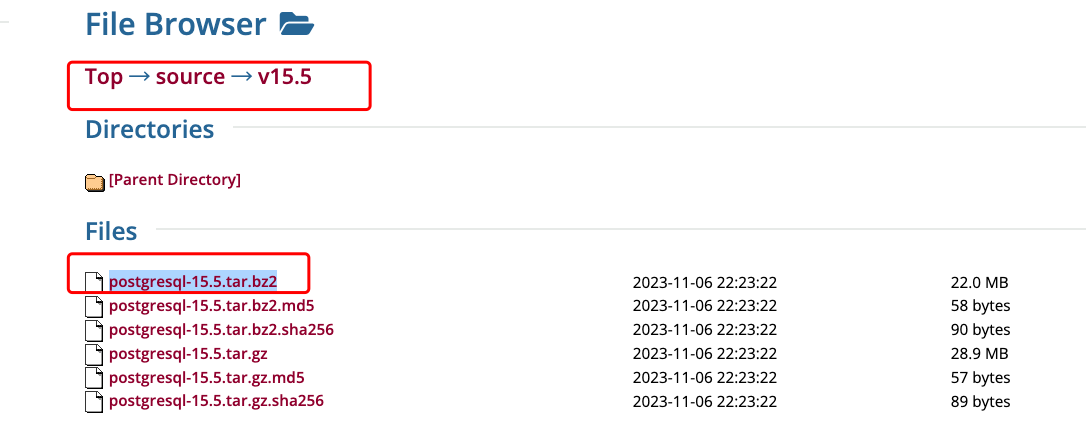
https://www.postgresql.org/ftp/source/
下载 postgresql-15.5.tar.bz2
3.2 依赖包安装
依赖包安装
yum -y install gcc-c++
yum -y install readline-devel
yum -y install zlib-devel
3.3 解压文件编译
tar -xvf postgresql-15.5.tar.bz2
第一板斧:
./configure --with-pgport=5432 --prefix=/usr/local/pgsql15/
- 编译需要开启 openSSL 支持,否则软件无法开启 SSL
- 不要指定
--without-readline,否则无法上下键寻找命令
问题:为什么是 /usr/local/pgsql15?默认路径会是 /usr/local,在此路径上加上 PostgreSQL 版本号是为了方便升级,例如:
sudo ln -sf /usr/local/pgsql15.5 /usr/local/pgsql
后面升级到 16.x版本
unlink /usr/local/pgsql
sudo ln -sf /usr/local/pgsql16.x /usr/local/pgsql
第二板斧和第三板斧:
make -j 8
make install -j 8
3.4 初始化数据库
/usr/local/bin/initdb -D /home/postgresql/data
3.5 创建 systemd 配置文件
PostgreSQL systemd service file
[Unit]
Description=PostgreSQL database server
Documentation=man:postgres(1)

[Service]
Type=forking
User=postgres
Group=postgres
ExecStart=/usr/local/bin/pg_ctl start -t 28800 -D /home/postgresql/data -l /home/postgresql/log/postgresql.log -s -o "-c config_file=/home/postgresql/conf/postgresql.conf"
ExecStop=/usr/local/bin/pg_ctl stop -t 28800 -D /home/postgresql/data -s -m fast
ExecReload=/usr/local/bin/pg_ctl reload -t 28800 -D /home/postgresql/data -s
TimeoutStartSec=28800

[Install]
WantedBy=multi-user.target
3.6 配置开机启动并启动 PostgreSQL
systemctl enable postgresql --now
3.7 创建数据库
/usr/local/bin/createdb tempdb
3.8 创建超级用户
/usr/local/bin/createuser -s root
3.9 登录服务器
/usr/local/bin/psql -h localhost -Uroot tempdb