

来自AI助手的总结
介绍Helm模板中的quote、upper、default、indent和nindent函数用法
一、quote函数
给对象加双引号,从而作为字符串使用
$ helm create my-template
$ rm -rf templates/*
$ cd my-template
$ cat > templates/configmap.yaml << EOF
apiVersion: v1
kind: ConfigMap
metadata:
  name: {{ .Release.Name }}-configmap
data:
  myvalue: "Hello World"
  myname: {{ quote .Values.myname }}
EOF
修改values.yaml内容
$ cat > values.yaml <<EOF
myname: aming
service:
  type: ClusterIP
  port: 80
EOF
渲染
$ helm template testrelease .
二、管道+upper函数
小写变大写
$ helm create my-template
$ rm -rf templates/*
$ cd my-template
$ cat > templates/service.yaml <<EOF
apiVersion: v1
kind: Service
metadata:
  name: testserivce
  labels:
    app: myapp
spec:
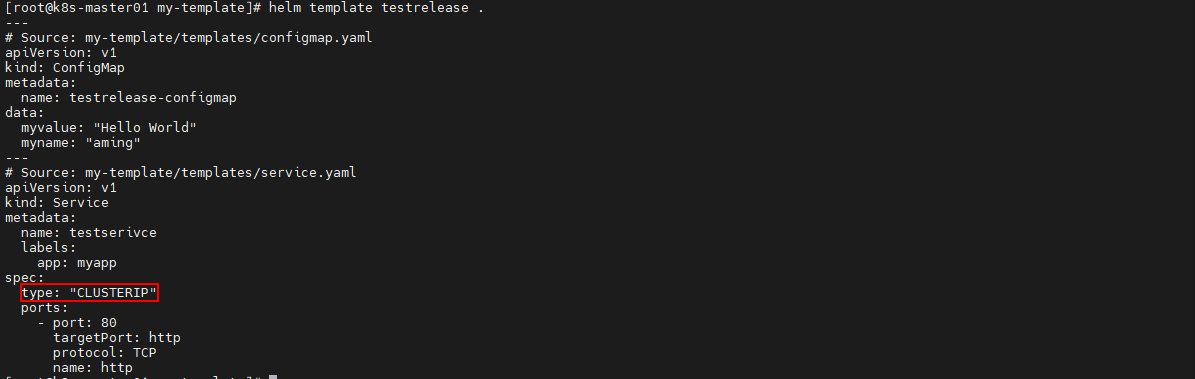
  type: {{ .Values.service.type|upper|quote }}
  ports:
    - port: {{ .Values.service.port }}
      targetPort: http
      protocol: TCP
      name: http
EOF
修改values.yaml内容
$ cat > values.yaml <<EOF
myname: aming
service:
  type: ClusterIP
  port: 80
EOF
渲染
helm template testrelease .
三、default函数
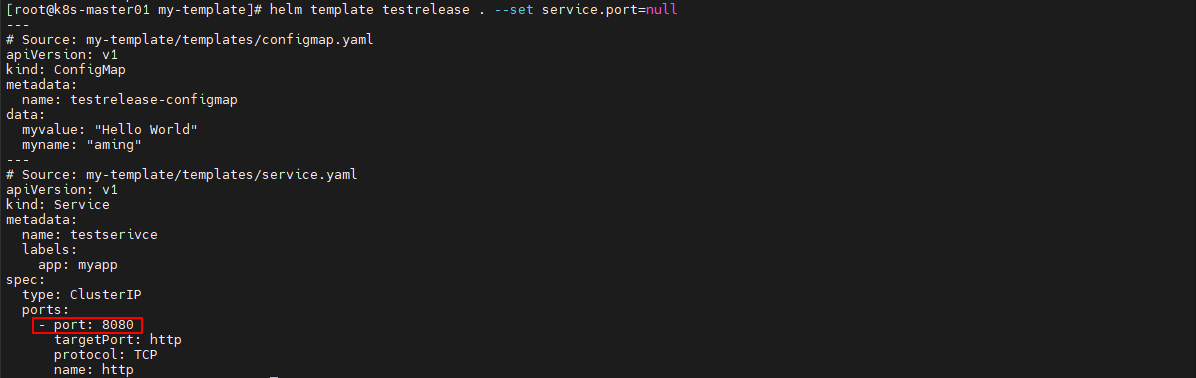
当对象值为空时,使用该函数定义的值
$ helm create my-template
$ rm -rf templates/*
$ cd my-template
$ cat > templates/service.yaml <<EOF
apiVersion: v1
kind: Service
metadata:
  name: testserivce
  labels:
    app: myapp
spec:
  type: {{ .Values.service.type }}
  ports:
    - port: {{ .Values.service.port |default 8080 }}
      targetPort: http
      protocol: TCP
      name: http
EOF
修改values.yaml内容
$ cat > values.yaml <<EOF
myname: aming
service:
  type: ClusterIP
  port: 80
EOF
渲染,观察到使用默认的8080
$ helm template testrelease . --set service.port=null
四、indent函数
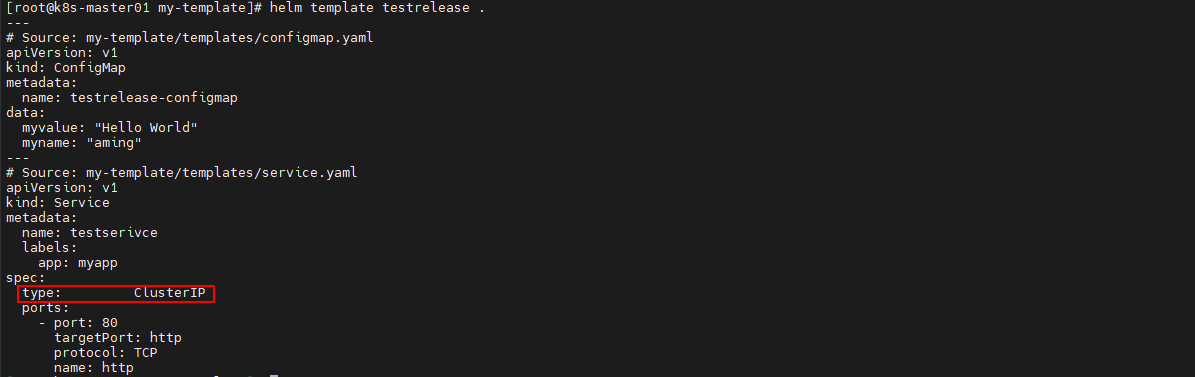
缩进,例如indent 4,表示缩进4个字符
$ helm create my-template
$ rm -rf templates/*
$ cd my-template
$ cat > templates/service.yaml <<EOF
apiVersion: v1
kind: Service
metadata:
  name: testserivce
  labels:
    app: myapp
spec:
  type: {{ .Values.service.type|indent 8 }}
  ports:
    - port: {{ .Values.service.port }}
      targetPort: http
      protocol: TCP
      name: http
EOF
修改values.yaml内容
$ cat > values.yaml <<EOF
myname: aming
service:
  type: ClusterIP
  port: 80
EOF
渲染
$ helm template testrelease .
五、nindent函数
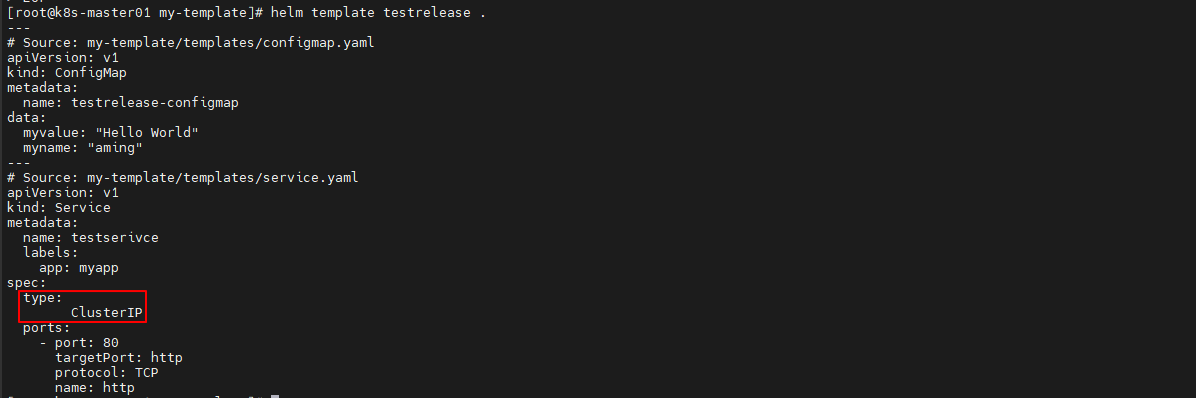
换行并缩进
$ helm create my-template
$ rm -rf templates/*
$ cd my-template
$ cat > templates/service.yaml <<EOF
apiVersion: v1
kind: Service
metadata:
  name: testserivce
  labels:
    app: myapp
spec:
  type: {{ .Values.service.type|nindent 8 }}
  ports:
    - port: {{ .Values.service.port }}
      targetPort: http
      protocol: TCP
      name: http
EOF
修改values.yaml内容
$ cat > values.yaml <<EOF
myname: aming
service:
  type: ClusterIP
  port: 80
EOF
渲染
$ helm template testrelease .
© 版权声明
文章版权归作者所有,未经允许请勿转载。
THE END






暂无评论内容