

来自AI助手的总结
通过htpasswd和Secret为Ingress配置基本认证并验证访问限制
一、由于需要使用htpasswd工具,需要安装 httpd
[root@k8s-master01 ~]# yum install httpd -y
二、使用 htpasswd 创建 foo 用户的密码
[root@k8s-master01 study-ingress]#  htpasswd -c auth foo
New password: 123
Re-type new password: 123
Adding password for user foo
上面参数说明:
htpasswd:这是命令行实用程序,用于管理 Apache 中的 HTTP 基本认证用户密码文件-c:这个标志表示我们要创建一个新的密码文件。如果同名的文件已经存在,它将被覆盖auth:这是密码文件的名称。在这种情况下,密码文件将被命名为 “auth”foo:这是您要在密码文件中为其创建密码条目的用户名。执行命令后,系统会提示您输入 “foo” 用户的密码
查看生成的密码
[root@k8s-master01 ~]# cat auth
foo:$apr1$2AnMQs9G$OXZuCuYEUE8YjSMPf.be7/
三、基于之前创建的密码文件创建 Secret
[root@k8s-master01 ~]# kubectl create secret generic basic-auth --from-file=auth -n study-ingress
四、创建包含密码认证的 Ingress
[root@k8s-master01 ~]# vim ingress-with-auth.yaml
apiVersion: networking.k8s.io/v1
kind: Ingress
metadata:
  annotations:
# kubernetes.io/ingress.class: nginx
    nginx.ingress.kubernetes.io/auth-realm: Please Input Your Username and Password
    nginx.ingress.kubernetes.io/auth-secret: basic-auth
    nginx.ingress.kubernetes.io/auth-type: basic
  name: ingress-with-auth
  namespace: study-ingress
spec:
  ingressClassName: nginx # for k8s >= 1.22+
  rules:
  - host: auth.test.com
    http:
      paths:
      - backend:
          service:
            name: nginx
            port:
              number: 80
        path: /
        pathType: ImplementationSpecific
上面参数说明:
nginx.ingress.kubernetes.io/auth-realm: 设置基本认证提示信息,当用户访问该 Ingress 时,会要求输入用户名和密码nginx.ingress.kubernetes.io/auth-secret: 指定用于存储加密的用户名和密码的 Secret 名称。在这里,Secret 名称为 “basic-auth”,里面应该包含用户名和密码的信息nginx.ingress.kubernetes.io/auth-type: 指定认证类型为基本认证 (basic)
五、创建该 Ingress,并访问测试
[root@k8s-master01 study-ingress]# kubectl create -f ingress-with-auth.yaml

[root@k8s-master01 ~]# curl -H "Host:auth.test.com" 192.168.1.35 -I
HTTP/1.1 401 Unauthorized
Date: Mon, 31 Jul 2023 12:21:33 GMT
Content-Type: text/html
Content-Length: 172
Connection: keep-alive
WWW-Authenticate: Basic realm="Please Input Your Username and Password"
上面curl参数说明:
-H参数可以设置请求头-I标志用于发出 HEAD 请求,只会检索响应头部,而不包含响应主体
六、在win主机上修改hosts文件,文件路径为:C:\Windows\System32\drivers\etc\hosts。添加以下内容
192.168.1.35 nginx.test.com m.test.com test.com auth.test.com
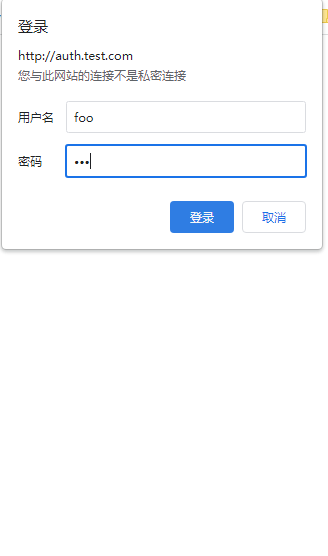
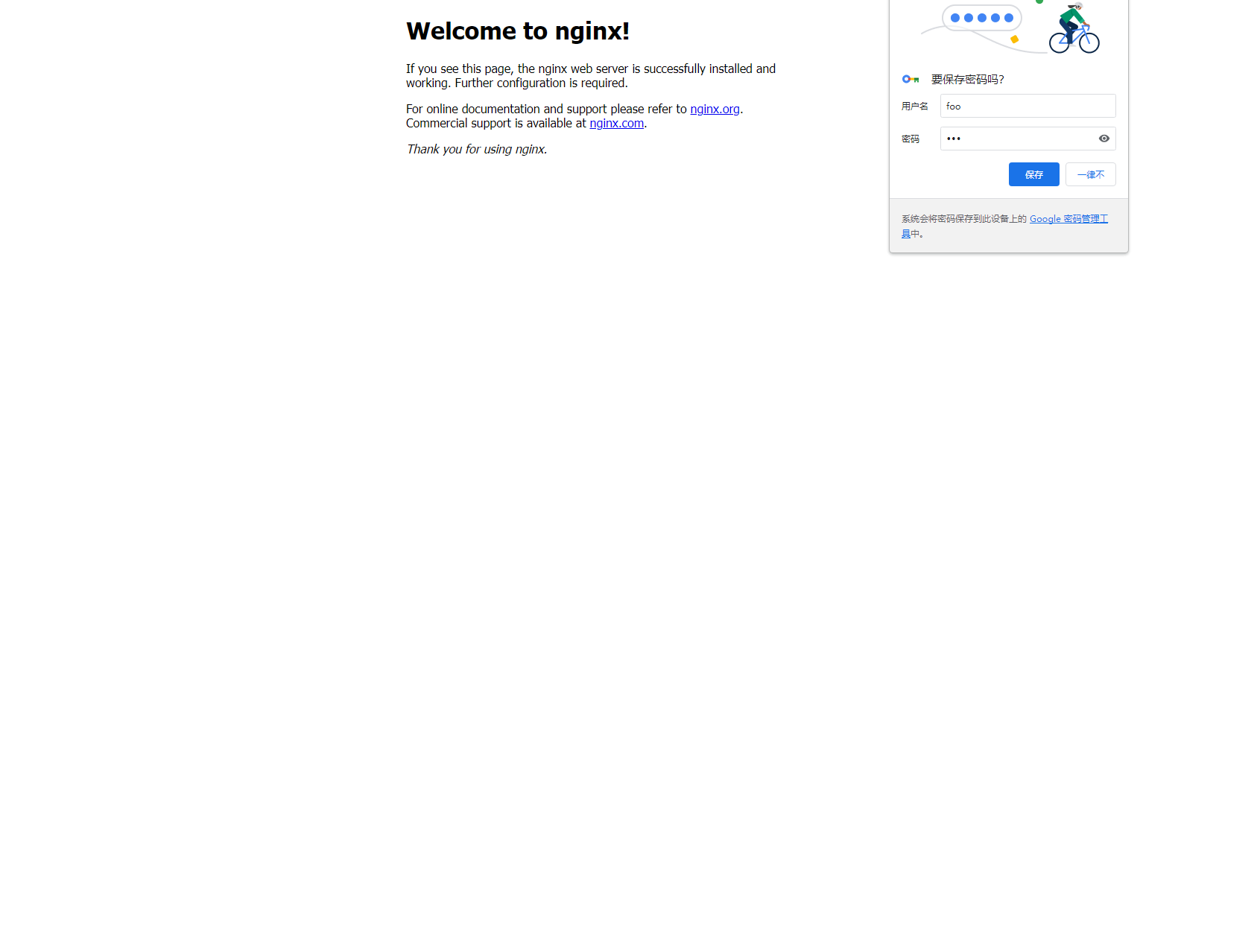
七、打开浏览器,输入auth.test.com进行访问。输入账号和密码即可来到nginx登录界面。这里账号为foo,密码为123
© 版权声明
文章版权归作者所有,未经允许请勿转载。
THE END






暂无评论内容