
一、Groovy简明教程
1.1 Groovy简明教程
无论是声明式还是脚本式的 Pipeline 都依赖了 Groovy 脚本,所以如果要很好的掌握 Pipeline 脚本的用法,我们非常有必要去了解下 Groovy 语言。
1.2 什么是Groovy
Groovy 是跑在 JVM 中的另外一种语言,我们可以用 Groovy 在 Java 平台上进行编程,使用方式基本与使用 Java 代码的方式相同,所以如果你熟悉 Java 代码的话基本上不用花很多精力就可以掌握 Groovy 了,它的语法与 Java 语言的语法很相似,而且完成同样的功能基本上所需要的 Groovy 代码量会比 Java 的代码量少。
官方网站:https://groovy.apache.org
1.3 环境搭建
要安装 Groovy 环境非常简单,前往官网网站下载对应的平台安装包一键安装即可:https://groovy.apache.org/download.html,我这里使用的是 Mac,当然也可以使用比较方便的 Homebrew 工具来进行一键安装:
$ brew install groovy
可以使用下面的命令查看 groovy 是否安装成功:
$ groovy -v
Groovy Version: 3.0.4 JVM: 13.0.2 Vendor: Oracle Corporation OS: Mac OS X
1.4 基本语法
1.4.1 运行方法
使用编辑器(vscode)新建一个 Groovy 文件 hello.groovy,文件内容如下:
class Example {
   static void main(String[] args) {
        // 使用 println 打印信息到 stdout
        /*除了上面的注释方法外,这里没也是注释信息哦*/
        println 'Hello World'
        println "Hello World";
   }
}
如果你对 Java 代码较熟悉的话,可以看到上面的 Groovy 是非常类似的。
然后可以使用 groovy 命令运行上面的程序:
$ groovy 1hello.groovy
Hello World
Hello World
- 从输出结果可以看出了
Groovy里面支持单引号和双引号两种方式, - 注释支持
//和/**/两种方式, - 而且不以分号
“;”结尾也可以, - 但是我们还是推荐都
带上分号保持代码的一致性。
1.4.2 标识符
标识符被用来定义变量,函数或其他用户定义的变量。标识符以字母、美元或下划线开头,不能以数字开头。
以下是有效标识符的一些例子 :
def employeename
def student1
def student_name
其中,def是在
Groovy中用来定义标识符的关键字。
如下代码:2datatype.groovy
class Example{
    static void main(String[] agrs){
        String x ="Happy";
        println(x);

        def _Holiday = "Mother's Day";
        println(_Holiday);
        println(x + " "+_Holiday);
    }
}
运行结果如下:
$ groovy 1hello.groovy
Happy
Mother's Day
Happy Mother's Day
1.4.3 数据类型
上述例子中我们定义了一个字符串 x 和一个标识符 _Name。当然除了字符串之外,Groovy 也支持有符号整数、浮点数、字符等:
class Example {
    static void main(String[] args) {
        String str = "Hello";  // 字符串
        int x = 5;  // 整数
        long y = 100L;  // 长整型
        float a = 10.56f;  // 32位浮点数
        double b = 10.5e40;  // 64位浮点数
        char c = 'A';  // 字符
        Boolean l = true;  // 布尔值,可以是true或false。
        println(str);
        println(x);
        println(y);
        println(a);
        println(b);
        println(c);
        println(l);
    }
}
运行结果如下:
$ groovy 2datatype.groovy
Hello
5
100
10.56
1.05E41
A
true
- String => 字符串
- int => 整数
- long => 长整型
- float => 32位浮点数
- double => 64位浮点数
- char => 字符
- Boolean => 布尔值,可以是true或false。
1.4.4 打印变量
上面用 def 关键字来定义变量,当然也可以用一个确定的数据类型来声明一个变量,我们可以用下面的几种方式来打印变量:
class Example {
    static void main(String[] args) {
        // 初始化两个变量
        int x = 5;
        int X = 6;

        // 打印变量值
        println("x = " + x + " and X = " + X);
        println("x = ${x} and X = ${X}");
        println('x = ${x} and X = ${X}');
    }
}
运行结果如下:
$ groovy 3Variable.groovy
x = 5 and X = 6
x = 5 and X = 6
x = ${x} and X = ${X}
从这里我们可以看出 Groovy 在单引号的字符串里面是不支持插值的,这点非常重要,很多同学在使用 Pipeline 脚本的时候经常会混淆。
除此之外,还支持三引号:
class Example {
    static void main(String[] args) {
        // 初始化两个变量
        int x = 5;
        int X = 6;

println """
x = ${x}
X = ${X}
"""

println '''
x = ${x}
X = ${X}
'''
    }
}
运行结果如下:
$ groovy 3Variable.groovy
x = 5
X = 6

x = ${x}
X = ${X}
可以看出 Groovy 里面三引号支持双引号和单引号两种方式,但是单引号同样不支持插值,要记住。
1.4.5 函数
Groovy 中的函数是使用返回类型或使用 def 关键字定义的,函数可以接收任意数量的参数,定义参数时,不必显式定义类型,
可以添加修饰符,如 public,private 和 protected,默认情况下,如果未提供可见性修饰符,则该方法为 public,如下所示:
class Example {
   static def PrintHello() {
      println("This is a print hello function in groovy");
   }

   static int sum(int a, int b, int c = 10) {
      int d = a+b+c;
      return d;
   }

   static void main(String[] args) {
      PrintHello();
      println(sum(5, 50));
   }
}
static def PrintHello(){}static int sum(int a, int b, int c = 10) {}static void main(String[] args) {}
运行结果如下:
$ groovy 4func.groovy
This is a print hello function in groovy
65
1.4.6 条件语句
在我们日常工作中条件判断语句是必不可少的,即使在 Jenkins Pipeline 脚本中也会经常遇到,Groovy 里面的条件语句和其他语言基本一致,使用 if/else 判断:
class Example {
   static void main(String[] args) {
      // 初始化变量值
      int a = 2

      // 条件判断
      if (a < 100) {
         // 如果a<100打印下面这句话
         println("The value is less than 100");
      } else {
         // 如果a>=100打印下面这句话
         println("The value is greater than 100");
      }
   }
}
运行结果如下:
$ groovy 5cond.groovy
The value is less than 100
1.4.7 循环语句
除了条件判断语句之外,循环语句也是非常重要的,Groovy 中可以使用三种方式来进行循环:while、for语句、for-in语句,如下:
class Example {
   static void main(String[] args) {
      int count = 0;
      println("while循环语句:");
      while(count<5) {
         println(count);
         count++;
      }

      println("for循环语句:");
      for(int i=0;i<5;i++) {
         println(i);
      }

      println("for-in循环语句:");
      int[] array = [0,1,2,3];
      for(int i in array) {
         println(i);
      }

      println("for-in循环范围:");
      for(int i in 1..5) {
         println(i);
      }
   }
}
运行结果如下:
$ groovy 6loop.groovy
while循环语句:
0
1
2
3
4
for循环语句:
0
1
2
3
4
for-in循环语句:
0
1
2
3
for-in循环范围:
1
2
3
4
5
上面是常用的三种循环方式,其中一个比较特殊的地方是我们可以用..来定义一个数据范围,比如1:5表示1到5的数组。
另外我们还可以使用for-in来循环 Map,Map(字典)是我们在编写程序的过程中会镜像使用到的数据结构,大部分的编程语言都是使用{}来定义 Map,而在 Groovy 中有点不一样的地方,是使用[]来定义的 Map,如下所示:
class Example {
   static void main(String[] args) {
       // 定义一个Map
      def ageMap = ["Ken" : 21, "John" : 25, "Sally" : 22];

      for(am in ageMap) {
         println(am);
      }
   }
}
运行结果如下:
$ groovy 7map.groovy
Ken=21
John=25
Sally=22
除了上面这些最基本的特性外,Groovy 还支持很多其他的特性,比如异常处理、面向对象设计、正则表达式、泛型、闭包等等,由于我们这里只是为了让大家对 Jenkins Pipeline 的脚本有一个基本的认识,更深层次的用法很少会涉及到.
二、Groovy基础
2.1 字符串与列表
2.1.1 Groovy - 简介
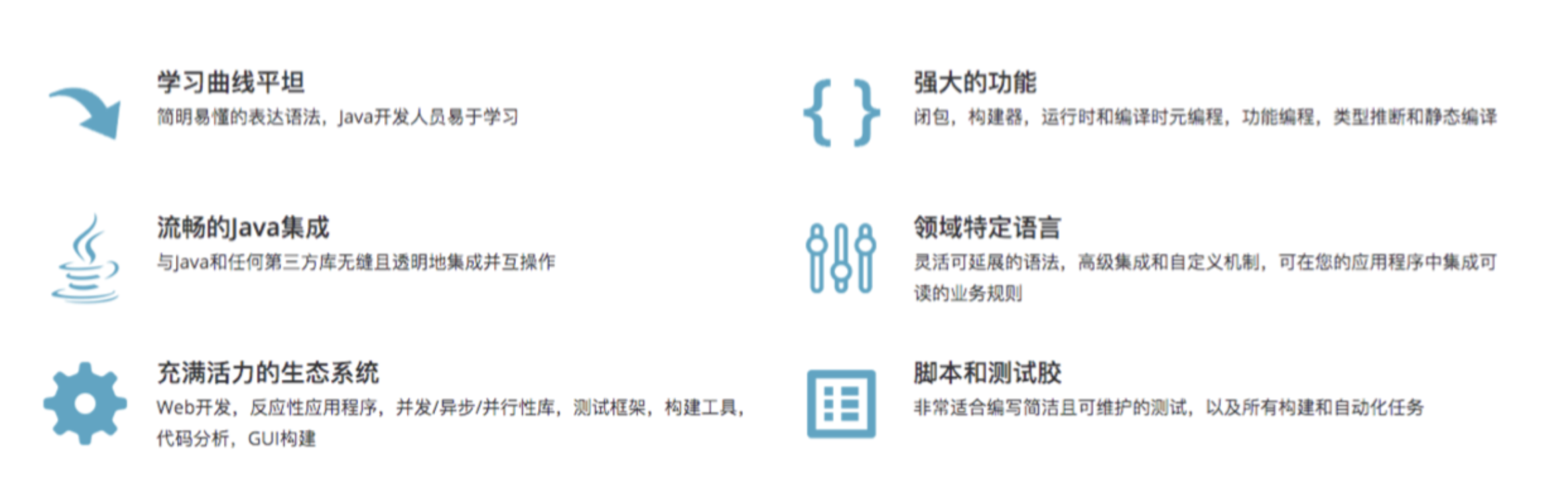
Groovy是一种功能强大,可选类型和动态语言,支持Java平台- 旨在提高开发人员的生产力得益于简洁,熟悉且简单易学的语法。
- 可以与任何Java程序顺利集成,并立即为您的应用程序提供强大的功能, 包括脚本编写功能,特定领域语言编写,运行时和编译时元编程以及函数式编程
2.1.2 Install Groovy
https://groovy-lang.org/install.html
You should now have Groovy installed properly. You can test this by typing the following in a command shell:
groovysh
$ groovysh
Groovy Shell (3.0.4, JVM: 13.0.2)
Type ':help' or ':h' for help.
--------------------------------------------------------------------------------------------------------------------------------------------------------
groovy:000> println("hello world");
hello world
===> null
Which should create an interactive groovy shell where you can type Groovy statements.
groovyConsole
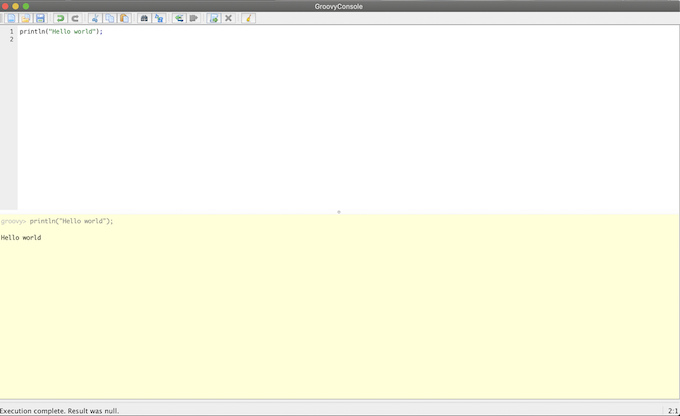
To run a specific Groovy script type:
groovy SomeScript
2.1.3 Groovy数据类型
- 字符串表示:单引号、双引号、三引号
- 常用方法:
contains()工是否包含特定内容返回true falsesize()length()字符串数量大小长度toString()转换成string类型indexOf()- 元素的索引
endsWith()是否指定字符结尾 minus() plus()去掉、增加字符串reverse()反向排序substring(1,2)字符串的指定索引开始的子字符串toUpperCase() toLowerCase()字符串大小写转换split()字符串分割默认空格分割返回列表
groovy:000> "devsecurityops".contains("ops")
===> true
groovy:000> "devsecurityops".contains("users")
===> false
groovy:000> "devsecurityops".endsWith("ops")
===> true
groovy:000> "devsecurityops".endsWith("abc")
===> false
groovy:000> "devsecurityops".length()
===> 14
groovy:000> "devsecurityops".size()
===> 14
groovy:000> "dev"+"ops"
===> devops
groovy:000> "devops" - "dev"
===> ops
groovy:000> "devops".toUpperCase()
===> DEVOPS
groovy:000> "DEVOPS".toLowerCase()
===> devops
 "dev1,dev2,dev3"
===> dev1,dev2,dev3

groovy:000>  "host1,host2,host3".split(',')
===> [host1, host2, host3]

groovy:000> hosts = "host1,host2,host3".split(',')
===> [host1, host2, host3]

groovy:000> for( i in hosts){
groovy:001>   println(i)
groovy:002> }
host1
host2
host3
===> null

groovy:000> result = [1,2,3,4].add(5)
===> true
2.1.4 Groovy数据类型一list
- 列表符号:[]
- 常用方法
+ - + -=元素增加减少add() <<添加元素isEmpty()判断是否为空intersect([2,3]) disjoint([1])取交集、判断是否有交集flatten()合并嵌套的列表unique()去重reverse()sort()反转升序count()元素个数join()将元素按照参数链接sum() min() max()求和最小值最大值contains()包含特定元素remove(2) removeAll()each{}遍历
groovy:000> []
===> []
groovy:000> [1,2,3,4] + 4
===> [1, 2, 3, 4, 4]
groovy:000> [1,2,3,4] + 46
===> [1, 2, 3, 4, 46]
groovy:000> [1,2,3,4] << 14
===> [1, 2, 3, 4, 14]
groovy:000> result = [1,2,3,4].add(5)
===> true
groovy:000> print(result)
true===> null
groovy:000> [2,3,4,5,6,6,6].unique()
===> [2, 3, 4, 5, 6]
groovy:000> [2,3,4,5,6,6,6].join("-")
===> 2-3-4-5-6-6-6
groovy:000> [2,3,4,5,6,6,6].each{
groovy:001> println it}
2
3
4
5
6
6
6
===> [2, 3, 4, 5, 6, 6, 6]
2.2 字典条件语句与循环
本节介绍 Groovy 基础语法中的字典条件语句循环语句。
2.2.1 Groovy数据类型一Map
- 表示:
[:] - 常用方法:
size() map大小['key'].key get()获取valueisEmpty ()是否为空containKey ()是否包含keycontainValue ()是否包含指定的valuekeySet ()生成key的列表each{}遍历mapremove( 'a')删除元素(k-v)
groovy:000> [:]
===> [:]
groovy:000> [1:2]
===> [1:2]
groovy:000> [1:2][1]
===> 2

groovy:000> [1:2,3:4,5:6].keySet()
===> [1, 3, 5]
groovy:000> [1:2,3:4,5:6].values()
===> [2, 4, 6]

groovy:000> [1:2,3:4,5:6]+[7:8]
===> [1:2, 3:4, 5:6, 7:8]

groovy:000> [1:2,3:4,5:6]-[1:2]
===> [3:4, 5:6]
2.2.2 Groovy条件语句一if
if(表达式){
    //xxxx
    } else if(表达式2) {
    //xxxxx
    } else {
    //
    }
groovy:000> buildType = "maven"
===> maven
groovy:000> if (buildType == "maven"){
groovy:001>   println("This is a maven project");
groovy:002> } else if(buildType == "gradle"){
groovy:003>   println("project type error");
groovy:004> }
This is a maven project
===> null
2.2.3 Groovy条件语句一switch
switch(" ${buildType}")
{
    case: "maven":
    //xxxx
    break;
    case "ant":
    //xxxx
    break;
    default:
    //xxxx
}
buildType = "maven";
switch("${buildType}"){
case 'maven':
    println("This is a maven project !");
    break;
    ;;
    case 'gradle':
    println("This is a gradle projects !");
    break;
    ;;
    default:
    println("Project Type Error");
    ;;
}
$ groovy switch.groovy
This is a maven project !
groovy:000> langs = ["java","python","ruby"]
===> [java, python, ruby]

$ groovy for.groovy
lang is java
lang is python
lang is ruby
2.3 函数使用
2.3.1 def定义函数语法
 def PrintMes(Value){
    printin(Value)
    //xxxx
    return value
 }
def PrintMes(info){
    println (info)
    return info
}

response = PrintMes("DevOps")
println(response)
2.3.2 Groovy正则表达式
@NonCPS
String getBranch(String branchName){
    def matcher = (branchName =~ "RELEASE-[0-9]{4}")
    if (matcher.find()) {
        newBranchName = matcher[0]
        } else {
        newBranchName = branchName
        )
    newBranchName
}

newBranchName = getBranch(branchName)
println("New branch Name" ----> ${newBranchName}")
2.4 常用的Pipeline DSL方法
2.4.1 常用DSL- readJSON- JSON数据格式化
def response = readJSON text: "${scanResult}"
println(scanResult)

//原生方法

import groovy.json.*

@NonCPS

def GetJson(text) {
    def prettyJson = JsonOutput.prettyPrint(text)
    new JsonSlurperClassic().parseText(prettyJson)
}
2.4.2 常用DSL-withCredentials
withCredentias([string(credentialsId: "xxxxx", variable: "sonarToken")])
{
    printin(sonarToken)
}
2.4.3 常用DSL一checkout
//Git
checkout([$class: 'GitSCM', branches:  [[name: "branchName"]],
            doGenerateSubmoduleConfigurations: false,
            extensions: [], submoduleCfg: [],
            userRemoteConfigs: [[credentialsId: "${credentialsId}",
            url: "${srcUrl}"]]])

//Svn
checkout([$class: 'SubversionSCM', additionalCredentials: [],
            filterChangelog: false, ignoreDirPropChanges: false,
            locations: [[credentialsId: "${credentialsId}",
            depthOption: 'infinity', ignoreExternalsOption: true,
            remote: "${svnUrl}"]], workspaceUpdater: [$class: 'CheckoutUpdater']]
)
2.4.4 常用DSL一publishHTML
publishHTML([allowMissing: false,
    alwaysLinkToLastBuild: false,
    keepAll: true,
    reportDir: './report/',
    reportFiles: "a.html, b.html",
    reportName: 'InterfaceTestReport',
    reportTitles: 'HTML'
])
2.4.5 常用DSL一input
def result = input message: '选择xxxxx’,
                ok: '提交',
                parameters: [extendedChoice(
                        description: 'xxxxx',
                        descriptionPropertyValue:'',
                        multiSelectDelimiter: ',',
                        name: 'failePositiveCases',
                        quoteValue: false,
                        saveJSONParameterToFile: false,
                        type: 'PT_CHECKBOX',
                        value: "1,2,3",
                        visibleltemCount: 99)]
println(result)
2.4.6 常用DSL-BuildUser
wrap([$class: 'BuildUser']) {
    echo "full name is $BUILD_USER"
    echo "user id is $BUILD_USER_ID"
    echo "user email is $BUILD_USER_EMAIL"
}
2.4.7 常用DSL一httpRequest
ApiUrl = "http://xxxxxx/api/project_branches/list?project=${projectName}"
Result = httpRequest authentication: 'xxxxxxxxx',
    quiet: true,
    contentType: 'APPLICATION_JSON' ,
    url: "${ApiUrl}"
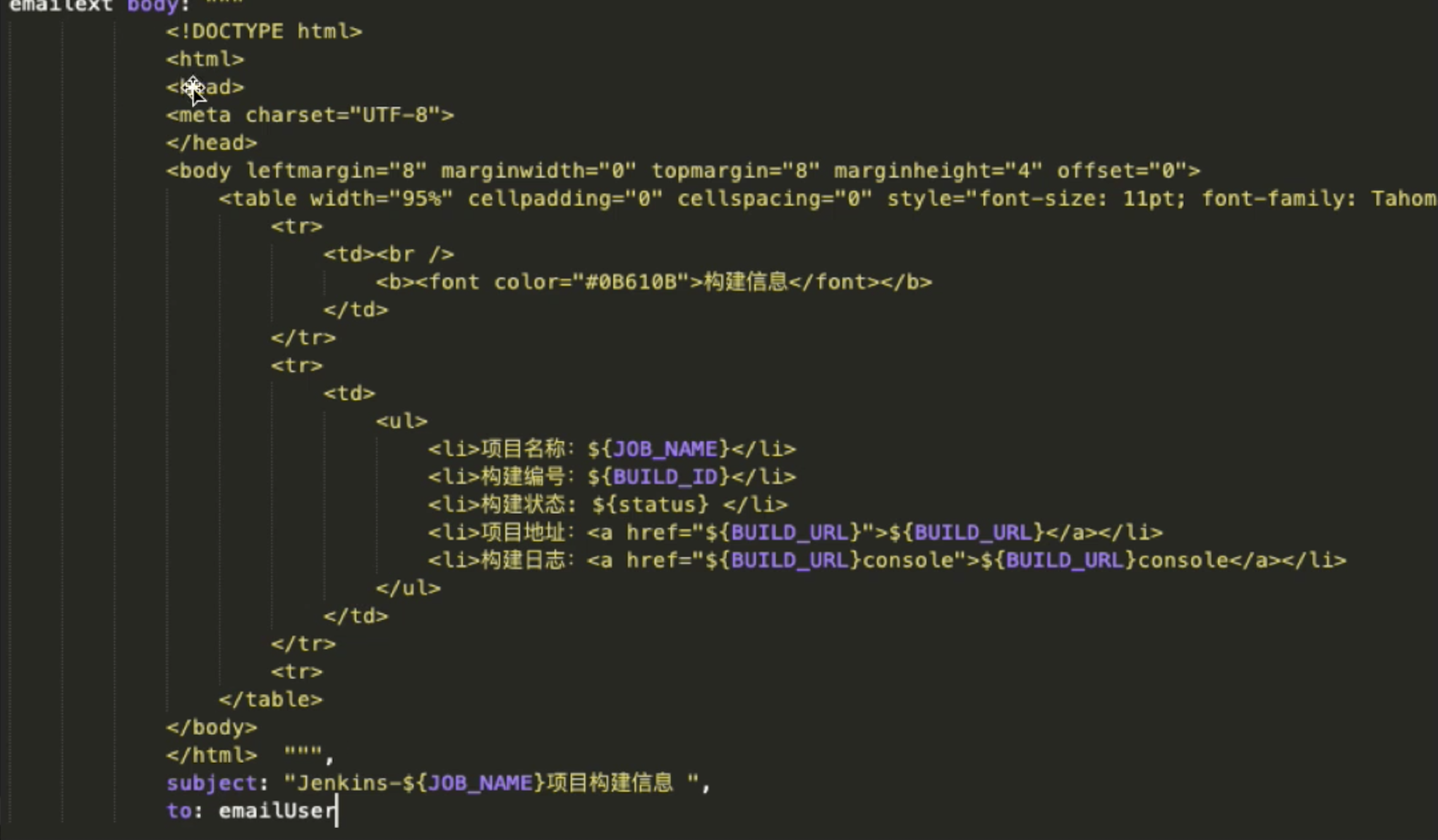
2.4.8 常用DSL一email